Driving Traffic to Your Google My Business Profile
In early December 2021, Google announced that its local listing platform, Google My Business, was undergoing a name change, becoming Google Business Profile. In an official statement, Matt Madrigal, VP/GM Merchant Shopping wrote: “Moving forward, we recommend small businesses manage their profiles directly on Search or Maps…And in 2022, we’ll retire the Google My Business app so more merchants can take advantage of the upgraded experience on Search and Maps”.
So what does the rebrand mean for you, and are there new features to get to grips with? Here, we take an in-depth look at what’s new and how you can use it to optimise for local SEO.
New Google My Business features for 2022
Businesses have had the option to edit their Business Profile information from search for a few months, but the new setup means you can complete verification of a business – or resolve issues with your Profile – directly from search. All you need to do is search for your company’s name, and you can verify or edit your Profile, respond to reviews, and more, right there. The whole process is more streamlined, making optimisation for local search much easier.
What features does Google Business Profile include for my business?
Your Google Business Profile enables you to add information about your business, making it more visible in the search and Google Maps results. It’s a fantastic way to ensure your company is seen by those in your area who are searching for the services you provide. According to Ipsos Research a Google Business Profile that’s kept up to date and relevant receives seven times more clicks, is 70% more likely to attract location visits and is 50% more likely to drive purchases.
Google Business Profiles enable you to enter a short description of your core offering, as well as your address, opening hours, contact details, and service details (such as click and collect or delivery services). Since the COVID-19 pandemic, you can also add in any health and safety measures used at your location, such as safety dividers at checkouts or frequent disinfecting.
In addition to this, Google encourages users to leave reviews, post-Q&As, and add photos and videos to Business Profiles. This means almost any online user can contribute to your profile. For that reason, it’s essential you check it regularly to ensure any uploaded content is legit. Frequently checking your Profile also gives you the opportunity to respond to reviews or questions.
So how do you carry out effective Google Business Profile optimisation? Let’s take a look.
How do I optimise my business for Google 2022?
Optimising your business for local SEO helps you stand out from your competitors. Local results are based on relevance, distance from the searcher’s location, and prominence – so to get ahead, your Business Profile needs to accurately describe your product or service offering, and reflect your reputation with reviews, links and more.
Here are some ways in which you can optimise your Business Profile to ensure you have the best possible chance of standing out.
-
Accurately complete the basics
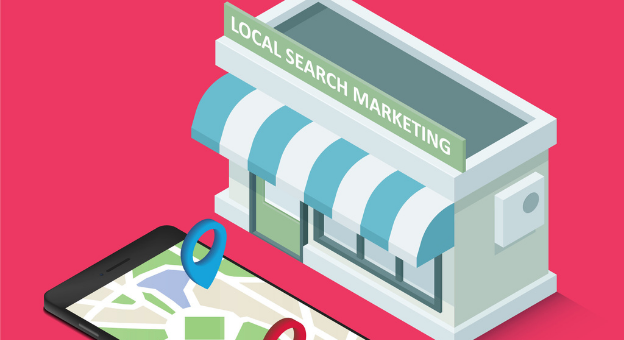
Start by completing the basics – and we can’t stress this enough – accurately. And ensure all relevant information remains accurate. There’s nothing more confusing for a user than a Google Business Profile that lists one set of opening hours when the corresponding website lists another. It may result in customers paying a visit to your location only to find the business is shut – and that’s going to result in dissatisfaction or even a bad review.
If your hours are changing for the Christmas holidays, or due to the pandemic, or for any other reason, ensure the most up-to-date information is included on your profile.
The Attributes section is also worth filling in. It’s here that you can add health and safety information such as ‘masks required’, or specify whether an appointment is required. A fairly recent update also enables you to publicise how the business identifies to help your target market understand you. You might, for example, identify as Black-owned or women-owned, which you can share with users. Finally, you can specify whether your location is wheelchair accessible, or provides other facilities for the disabled.
-
Add Google Posts
You can keep your Business Profile updated and engaging by taking advantage of the Google Posts feature. Adding Posts can impact rankings, as Google will search the content in your listing and leverage keywords used in Posts. If, for example, you create a post that mentions your expert bookkeeping services, a local user that is searching for that service may see your result above others due to the content of your post.
-
Get reviews
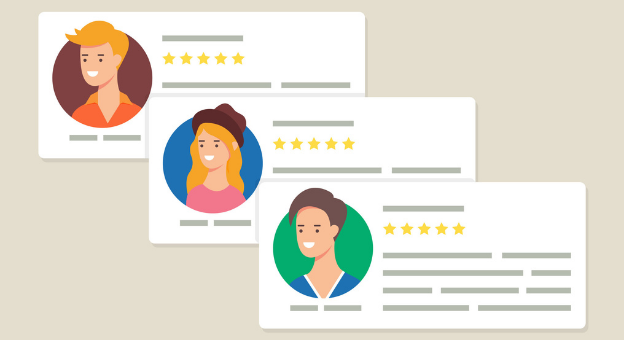
Reviews on your Google Business Profile often get overlooked in favour of reviews on your website via third parties such as Trust Pilot or Feefo. In some ways this is understandable – such third party services only publish reviews from verified purchasers, while Google reviews might be added by anyone.
However, Google places importance on reviews attached to the Business Profile, stating that “Google review count and review score factor into local search ranking.”
Obtaining positive reviews on a frequent basis is therefore critical to the success of your visibility in the search results. Start by finding out how many your competitors have, and aim to request reviews from legitimate customers as part of your general online marketing strategy. You can create a short URL that can be shared via email for this.
Not only should you solicit reviews to maintain your rankings, you should also respond where appropriate. Be sure to leave a response to a shining review as well as paying attention to those which are less favourable. This shows your business values feedback and aims to provide a high-quality experience.
-
Add images and videos
Adding relevant image and video content to your Business Profile will add an extra layer of engaging content that will help your visibility in the search results. Visuals of your premises or products help your customers to understand what your offering is and how to find your business should they wish to visit. It’s a great opportunity to showcase your location and your core offering.
When posting an image, be sure to geotag it by uploading it to https://tool.geoimgr.com/ and placing the corresponding map pin at the correct point (i.e. your business location). Then click ‘Write EXIF Tags’, download the tagged image, and upload it to your Business Profile. You can even give each image an extra boost by adding a relevant document name, such as ‘accounting services Kent’.
Driving local SEO traffic
When all the key elements of your Google Business Profile are in place and optimised, it’s not simply a question of sitting back and letting the traffic flood in – because it won’t without some more hard work. So the next task is to begin to actively promote your services and engage with your customers. You’ll also need to ensure that once the traffic gets to your website, the landing pages are fully optimised to drive conversions. Let’s take a look at some of the things you can do.
-
Promote

Your Google Business Profile has a Promote button, which offers several options to help you market your business. You can share a review form with recent customers, create a paid ad campaign to help drive visitors to your site, or create a relevant Google Post. The Performance tab then delivers insights on the efficacy of your Profile, detailing how many calls you received, the number of bookings made, and website clicks. You can, of course, use this data to determine what content is most effective – and produce more that’s similar.
-
Local web content
Outside of your Business Profile, there are plenty of things you can do to help generate traffic. A great way to ensure there’s unique local content on your site is to create location pages for each of your physical sites. In addition to a map and contact details, have some text that describes what is unique about each location. You can mention nearby roads, rail stations, and attractions or landmarks, as well as detailing what’s at the site itself. Perhaps there’s a play area for kids to keep themselves entertained while mum and dad shop, or maybe there’s a comfortable waiting area with free Wi-Fi and complimentary tea and coffee. Don’t forget specifics about accessibility too.
-
Schema markup
Another great SEO tactic is the implementation of schema markup. Schema markup is code that provides search engines with information that helps them understand your content. This, in turn, provides users with accurate information in the ‘rich snippets’ – the content below the page title – in the search results.
Adding schema markup to a location page enables relevant data to be included in the rich snippet, thereby making it more prominent in the search results. The more your link stands out, the more traffic it’s likely to attract – and the more engagement it drives, the better your chance of a higher ranking.
-
Core Web Vitals
A recent major update to Google means that a website’s page experience is now a significant ranking factor. As a local business, you’ll want to make sure your on-site experience is as slick as possible since this will give you an edge over competitors.
The factors relating to site performance are referred to by Google as Core Web Vitals. These include page load speed, responsiveness and visual stability. Of course, with a high number of searches being carried out on mobile, it’s critical that your site performs as well on a small screen as it does on a desktop.
A report on the Core Web Vitals of your site can be accessed via the Google Search Console, and here you can view stats and suggestions on how to improve page experience.
-
Link building

Link building is an SEO tactic that’s long established, and it’s still relevant, particularly for local businesses. The focus should be on building high quality, local links to your location pages, which then pass PageRank and contribute to your site’s overall visibility in the search engines. Reach out to local schools, sports clubs, or the local chamber of commerce for links, or offer to contribute content to other business’ websites, in exchange for a link back to your site in the text.
Another consistent way to build links is by adding citations through various directories. Ensure your company is listed on sites such as Yell.com or the UK Small Business Directory, as all of this will increase exposure and ensure relevant, quality links are in place.
Outsourcing the leg work
When you have a business to run, doing the marketing yourself can be tough and time-consuming, and you may not necessarily have the budget to employ someone in-house. Outsourcing is a great solution to this problem – you can hand over everything to a digital marketing specialist, in the knowledge that every effort is being made on your behalf to ensure your site and your Google Business Profile are optimised. It’s also cost-effective since you can determine a baseline budget that’s right for you, and give it a boost in key months.
As an established SEO agency in Kent, Whitefish Marketing is able to help with driving local traffic to your website. This includes setting up and managing your Google Business Profile, and providing business SEO services like link building. We’ll also monitor your web performance and ensure your Core Web Vitals are optimised.
If you’d like to improve your online visibility in the search results and expand your customer base, get in touch with us today.